
Download MegaCloud – Free Secure Cloud Storage, Sync & Share
Overview
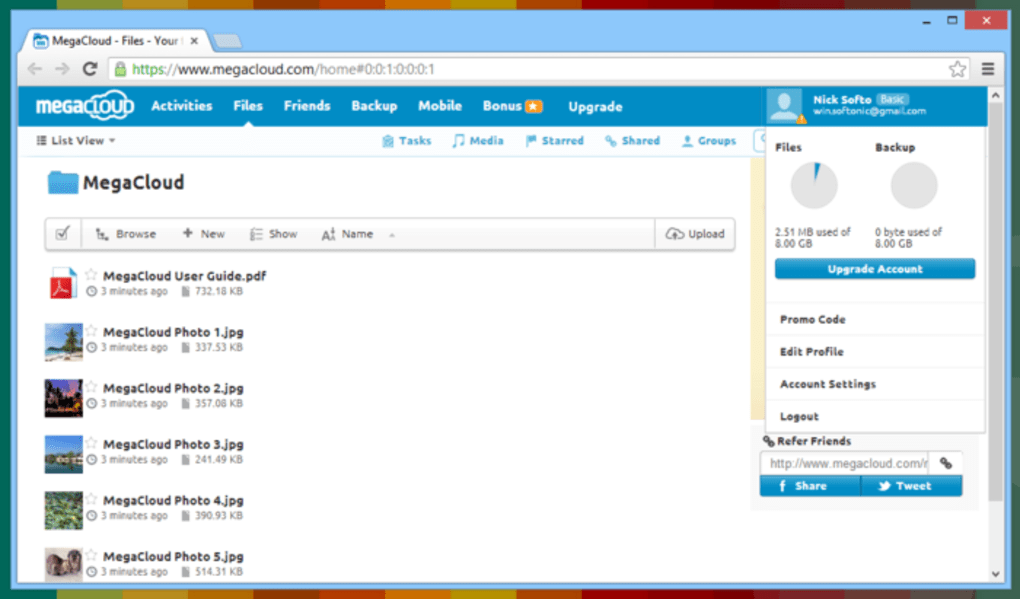
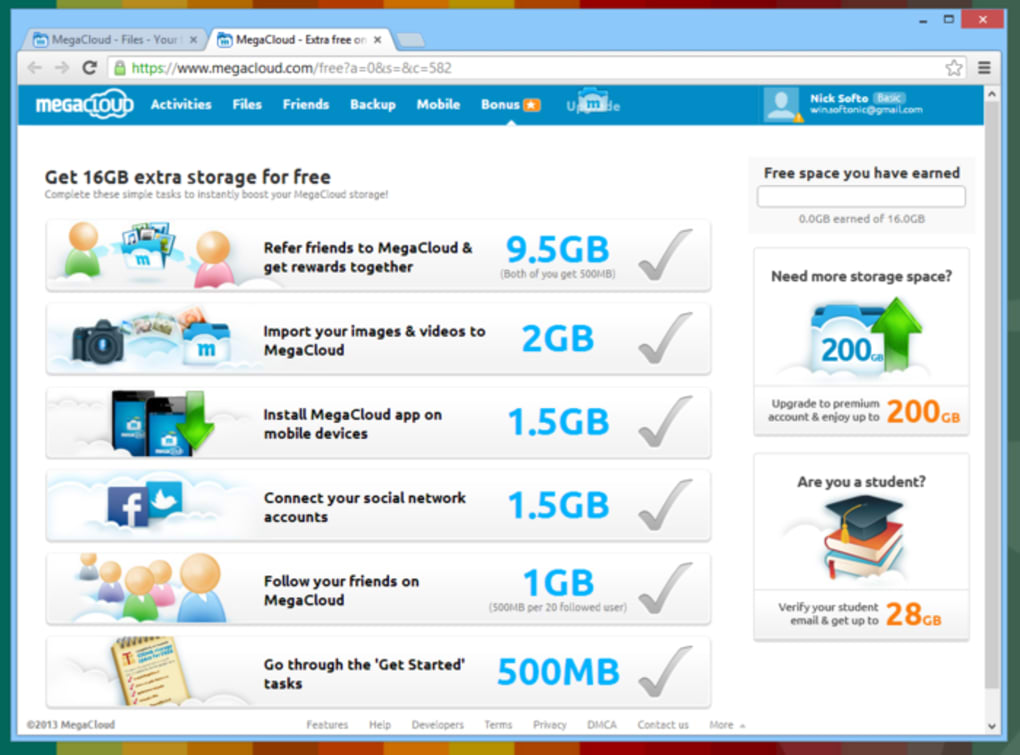
MegaCloud is a free cloud‑storage service that aims to give everyday users a reliable, secure and fast way to keep their files online. Launched as an alternative to the big names like Google Drive and Dropbox, MegaCloud provides a generous 15 GB of free space right out of the gate, and the option to upgrade to a massive 8 TB plan for power users. The platform works through a web‑based interface that mimics the familiar drag‑and‑drop workflow of traditional desktop file managers, while also offering a dedicated desktop client for Windows, macOS, Android and iOS.
What truly sets MegaCloud apart is its emphasis on end‑to‑end encryption—every file is encrypted locally with 256‑bit AES before it ever leaves your device, meaning the company never sees your raw data. In addition, MegaCloud supports real‑time collaboration, public link sharing, and a built‑in contact system that lets you invite friends or colleagues via email, even if they don’t have a MegaCloud account. The service also includes an idle‑sync engine that waits for low‑bandwidth moments to transfer data, ensuring that uploads and downloads never interfere with your day‑to‑day work.
For users who value both generous storage and top‑tier security, MegaCloud offers a compelling blend of features without the premium price tag.
Key Features & Security Highlights
Feature List
- 15 GB free storage; up to 8 TB with paid plans
- Cross‑platform desktop client for Windows, macOS, Linux
- Mobile apps for Android and iOS with automatic photo backup
- Drag‑and‑drop web interface with folder creation and organization
- Real‑time collaboration on documents, spreadsheets and presentations
- Public link sharing with optional password protection
- Contact system allowing email invitations and in‑app messaging
- Idle‑sync engine that runs when system resources are low
- Customizable sync folder – any local directory can become your cloud hub
- 256‑bit AES end‑to‑end encryption with client‑side key generation
- Password strength meter and optional master‑key backup file
- Version history for the last 30 days, enabling file rollback
- Two‑factor authentication (2FA) via authenticator apps
Security and Data Protection
Security is the cornerstone of MegaCloud’s value proposition. When you create an account, the platform runs a real‑time password strength analysis, encouraging you to choose a complex passphrase. For added safety, you can generate a master key that is stored locally as a text file; this key is the only way to recover your account if you lose both your password and the 2FA device.
All files are encrypted on the client side using 256‑bit AES before they ever touch the internet, and the encrypted blobs are transmitted via TLS 1.3, ensuring no man‑in‑the‑middle can sniff your data. MegaCloud never stores your plaintext passwords or decryption keys on its servers, meaning even a server breach would not expose user content. The service also offers optional password‑protected public links and a built‑in expiration timer for shared files, giving you fine‑grained control over who can access your data and for how long.
For businesses or users handling sensitive information, these layers of encryption and privacy‑first design make MegaCloud a trustworthy storage partner.
Installation, Usage & Compatibility
Step‑by‑Step Installation
Getting started with MegaCloud is straightforward. Begin by visiting the official website and clicking the “Download” button for your operating system. Windows users receive an .exe installer, macOS users get a .dmg package, and Linux fans can opt for the .deb or .rpm builds.
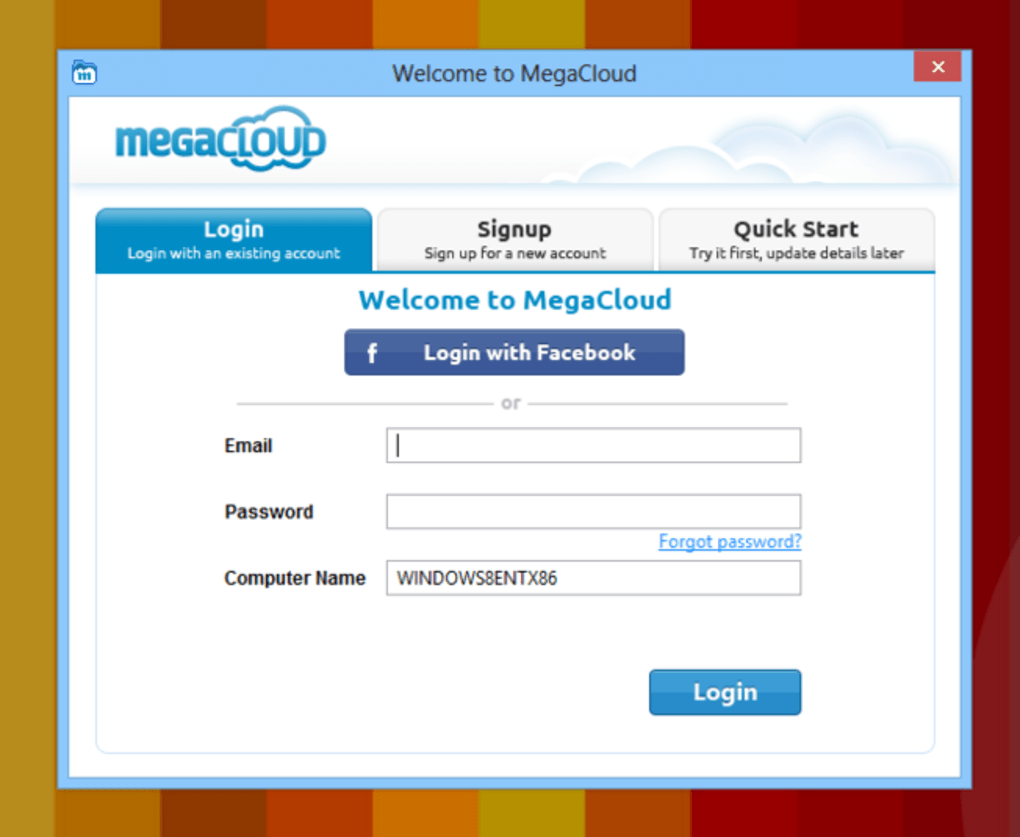
Mobile users simply search “MegaCloud” in the Google Play Store or Apple App Store. Once the installer is launched, follow the on‑screen prompts: accept the license agreement, choose an installation folder (or use the default), and let the installer configure the background sync service. After installation, launch the application and sign in with the email address you used during registration.
If you prefer not to create a password, you can instead upload the master‑key file generated during account creation.
Using the Desktop Client
The first time you open MegaCloud, you’ll be asked to designate a local “Sync Folder.” This folder can be any directory on your hard drive—your Documents folder, an external drive, or a dedicated cloud‑sync partition. Any file placed in this folder will automatically be uploaded to your MegaCloud account when the application detects an idle state and sufficient bandwidth. Conversely, changes made on the web interface (such as renaming a folder or adding a new document) will be reflected locally during the next sync cycle. The client includes a tray icon that shows sync status, recent activity, and quick access to the web dashboard. For power users, the settings menu allows you to limit bandwidth usage, set proxy configurations, and schedule automatic sync windows.
Operating System Support
MegaCloud supports the following platforms:
- Windows 10, 11 (64‑bit)
- macOS 10.14 Mojave and later
- Ubuntu 18.04+, Debian, Fedora, and other major Linux distributions
- Android 6.0+ (tablet and phone)
- iOS 13+ (iPhone and iPad)
Because the core sync engine is built on Electron and native file‑watchers, performance remains consistent across all platforms. Mobile apps feature automatic camera roll backup, background uploads, and a clean file‑browser that mirrors the desktop experience. Whether you’re working from a Windows workstation, a MacBook, or a Linux server, MegaCloud ensures your files are always in sync and ready for collaboration.
Pros, Cons & Frequently Asked Questions
Pros
- Generous 15 GB free tier; scalable paid plans up to 8 TB
- Strong 256‑bit AES end‑to‑end encryption protects privacy
- Cross‑platform support (Windows, macOS, Linux, Android, iOS)
- Idle‑sync engine minimizes impact on work and bandwidth
- Real‑time collaboration and public link sharing with optional passwords
- Two‑factor authentication and master‑key recovery option
- Simple drag‑and‑drop web interface familiar to most users
Cons
- No built‑in office suite; relies on third‑party editors for docs
- File restoration requires manual placement after download
- Limited version history (30 days) compared to some premium competitors
- Free tier lacks advanced admin controls for business users
- Sync folder must remain on a local drive; no network‑drive sync yet
FAQ
How much storage does MegaCloud provide for free?
MegaCloud offers 15 GB of cloud storage at no cost. You can upgrade to paid plans ranging from 200 GB to 8 TB if you need more space.
Is my data really encrypted before it leaves my computer?
Yes. MegaCloud encrypts every file locally with 256‑bit AES encryption. The encrypted data is then sent over TLS 1.3, ensuring end‑to‑end security.
Can I share files with people who don’t have a MegaCloud account?
Absolutely. You can generate a public link for any file or folder. Optional password protection and expiration dates let you control access.
What operating systems are supported by the desktop client?
The desktop client runs on Windows 10/11 (64‑bit), macOS 10.14 and later, and major Linux distributions such as Ubuntu, Debian, and Fedora.
Does MegaCloud offer two‑factor authentication?
Yes. You can enable 2FA using any standard authenticator app (Google Authenticator, Authy, etc.) for an extra layer of login security.
Review Summary
Overall Rating: 4.5 out of 5 stars
Pros: Generous free tier, strong encryption, cross‑platform sync.
Cons: Limited version history, no native office suite.
Conclusion & Call to Action
If you’ve been searching for a cloud‑storage solution that balances generous free space with enterprise‑grade security, MegaCloud deserves a spot at the top of your shortlist. Its easy‑to‑use web interface, reliable desktop sync client, and robust encryption model make it a solid alternative to the more established players. While it lacks a built‑in document editor and could improve its version‑control features, the core functionality—secure file backup, real‑time collaboration, and seamless cross‑device access—works flawlessly.
Whether you’re a student storing lecture notes, a freelancer managing client assets, or a small team needing shared project files, MegaCloud offers a free entry point with the option to scale up as your storage needs grow. Ready to experience secure cloud storage without the price tag? Download MegaCloud now and start protecting your files today.







